Working With Service Logs
How to document a student contact or intervention, choose accurate service codes and minutes, connect the work to goals and cases, and create the next follow-up.
What a service log records
A service log is the record of work that actually occurred for one student: a contact, intervention, consultation, coordination activity, or other support. It answers four practical questions: what happened, when it happened, how much time it took, and what should happen next?
| Service logs do | Service logs do not |
|---|---|
| Document completed student-support activity. | Replace a case plan, goal, referral, consent, or task. |
| Record one or more service codes with actual minutes for each. | Describe only the outcome you hope to achieve. |
| Connect the activity to active goals and an open case. | Automatically close or change those related records. |
| Create a follow-up task when another action is needed. | Serve as a general reminder without a completed service. |
If a group activity must be reflected in individual student records, follow your district’s documentation practice for recording the appropriate service for each student.
When to create a service log
Create the log promptly after a service is delivered or a meaningful coordination activity is completed. Examples include a student check-in, family outreach, attendance planning, consultation with school staff, crisis response, a group session, or coordination with a community provider.
Use a task for work that has not happened yet. Use a service log after the work occurs. If the completed service requires another action, the log can create the follow-up task for you.
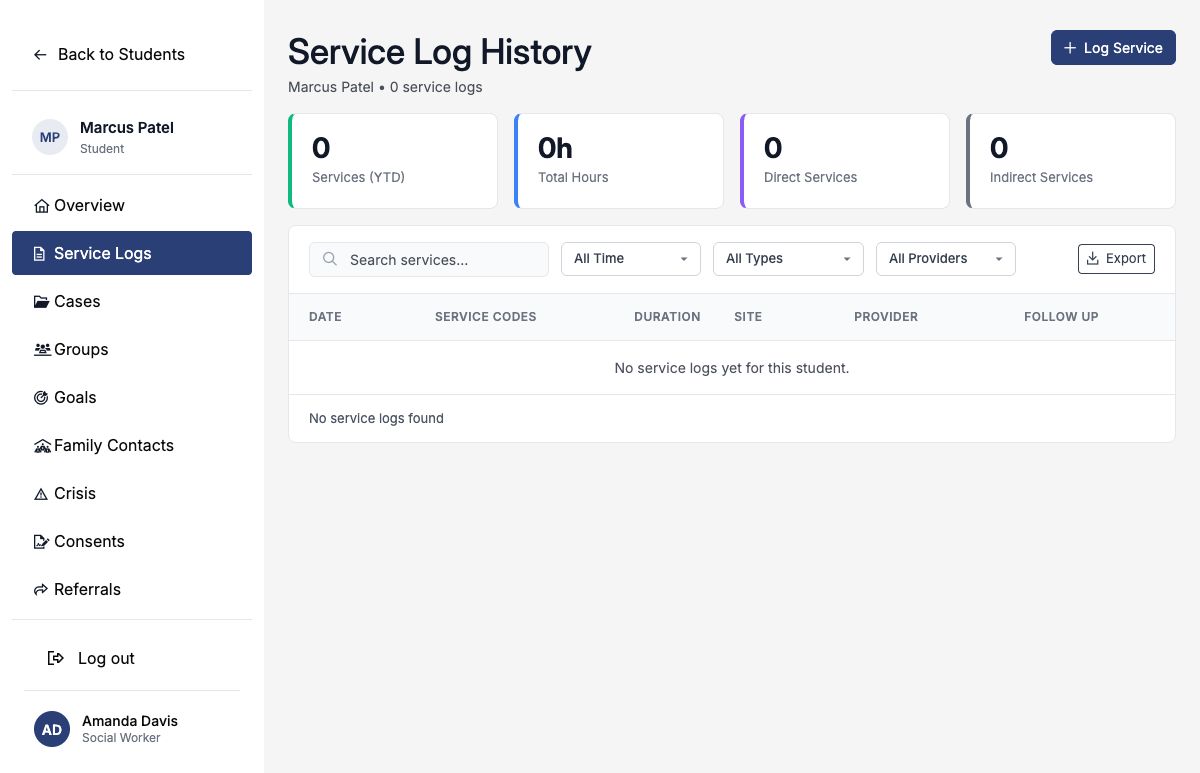
Start from the student’s Service Logs tab
- Open Students and select the correct student.
- Open the student’s Service Logs tab.
- Review recent entries to avoid recording the same service twice.
- Select Log Service.
Enter the service details
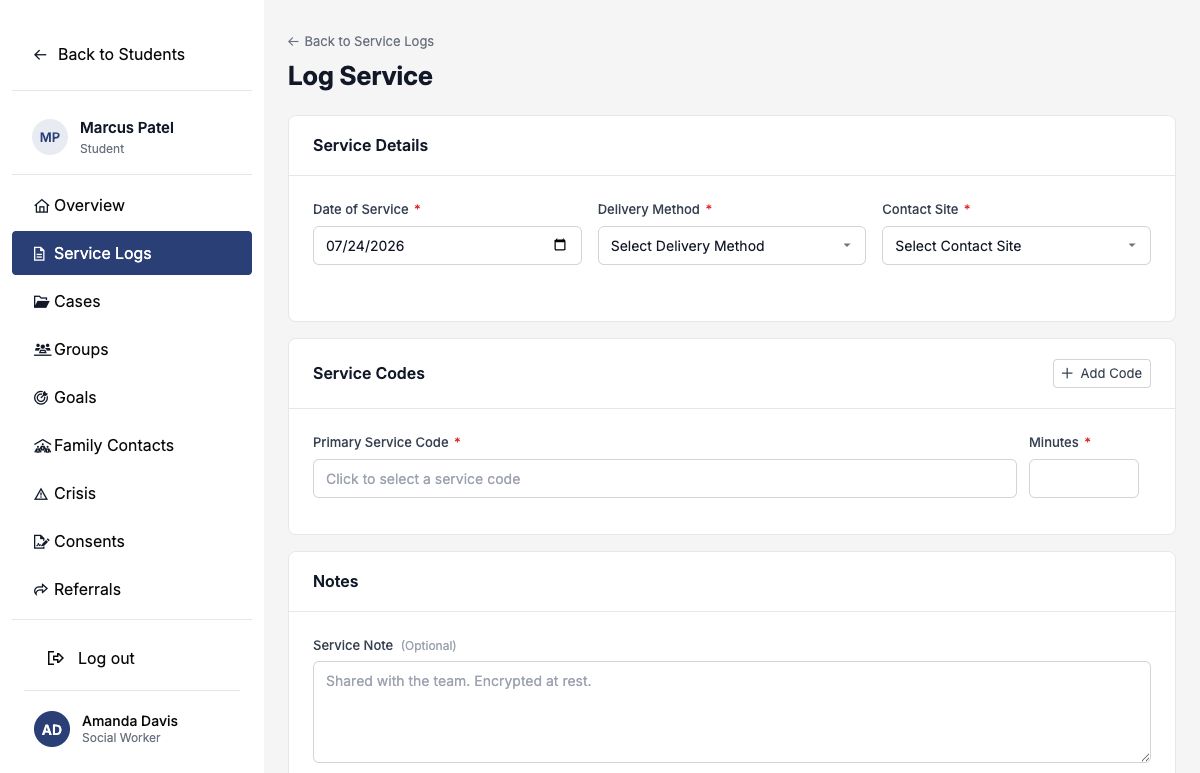
| Field | What to enter |
|---|---|
| Date of Service | The date the activity actually occurred. SocialNote associates the log with the academic year that contains this date. |
| Delivery Method | Phone, In Person, Virtual, Classroom, or Hybrid (In-Person + Virtual). |
| Contact Site | School, Home, Community, Virtual, or Other. |
Choose service codes and record minutes
At least one active, visible service code is required. Search by code number or description, then choose the code that most accurately describes the action you performed.
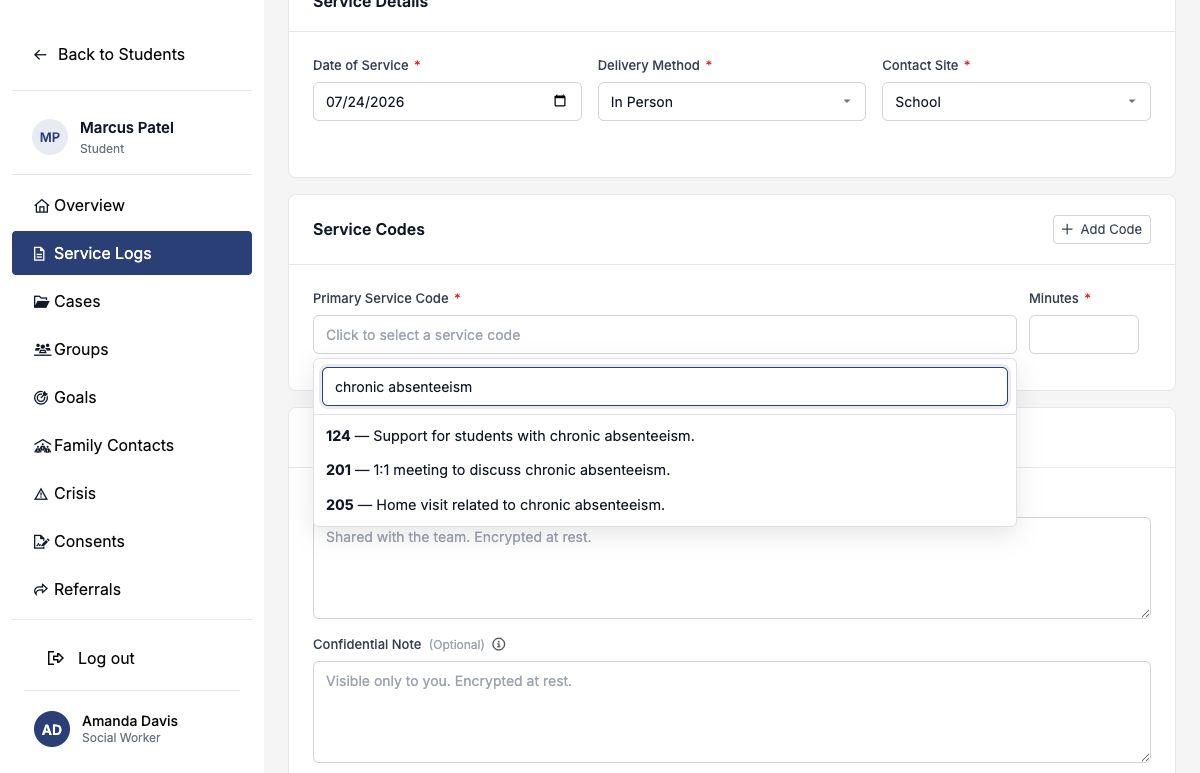
- Use the primary code for the main service delivered.
- Add another code only when a distinct service also occurred.
- Enter the actual whole-number minutes for each code.
- Do not copy the total visit length into every code row; the log total is the sum of the rows.
- Choose the action performed, not merely the concern or desired outcome.
For the complete shipped taxonomy, see the Service Code Reference. Your district may also make district-specific codes available or change which codes are active and visible.
Write useful notes
| Field | Audience and purpose |
|---|---|
| Service Note | A shared team record of the activity, barriers addressed, action taken, student or family response, and agreed next step. |
| Restricted Note | A creator-only note when a limited-access professional detail is genuinely necessary. Other authorized team members do not see it. |
Both note fields are protected in storage, but the restricted note is visible only to the person who created the log. Keep the shared service note useful without including unnecessary sensitive detail, and do not use a private note to hide information the care team needs to act safely.
Example shared service note
Connect the service to goals and cases
Select any active goal that the service supported. If the student has an open, in-progress, or on-hold case, you may also connect one related case. These links let the team see what work contributed to the student’s plan without duplicating the service note.
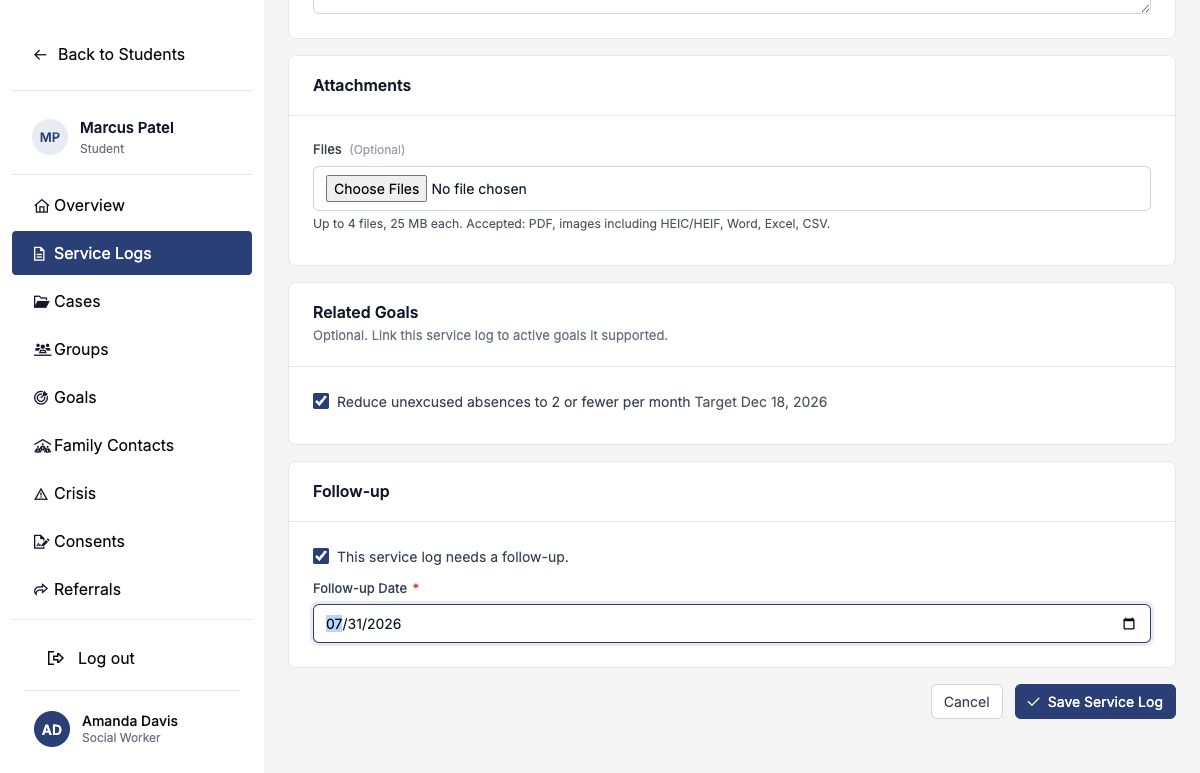
If no goal or case option appears, confirm that the student has an active goal or an eligible open case. Saving the log creates the link; it does not create the goal or case.
Create the next follow-up
Turn on Needs Follow-up when this service has a concrete next action. Enter a date on or after the service date. When the log is saved, SocialNote creates a medium-priority task assigned to you, with a reminder one day before it is due.
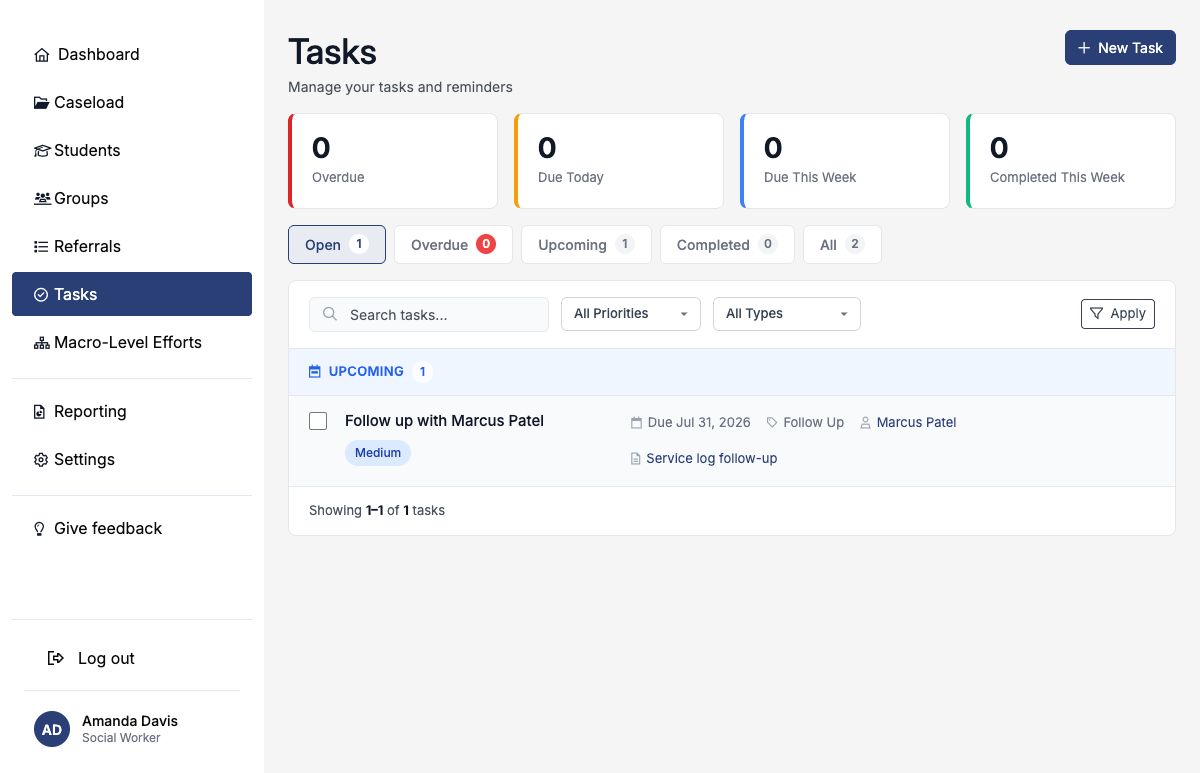
Editing the log updates its generated follow-up task. Turning follow-up off cancels that task. Deleting the log also cancels the generated task.
Review, edit, or remove a service log
After saving, return to the Service Logs tab to confirm the date, codes, duration, site, provider, and follow-up. The summary cards report total services, summed code minutes, and whether logs contain direct or indirect services. A log with both kinds of codes can contribute to both type counts.
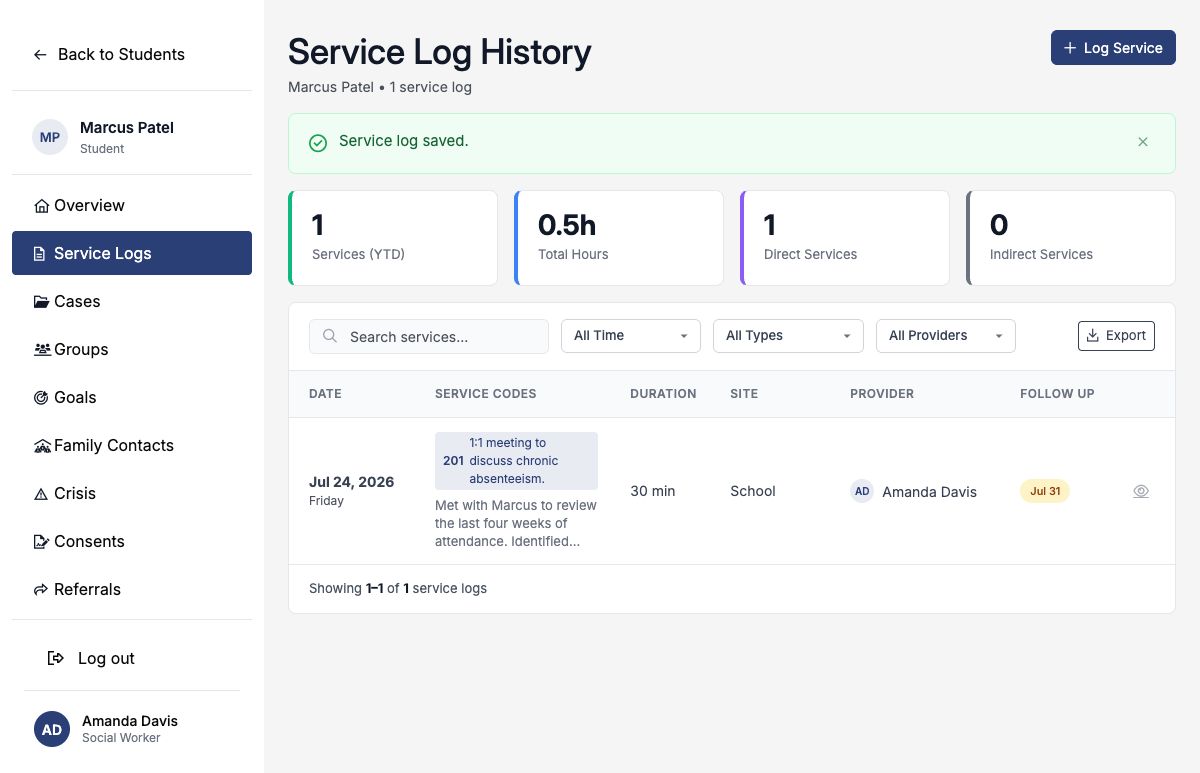
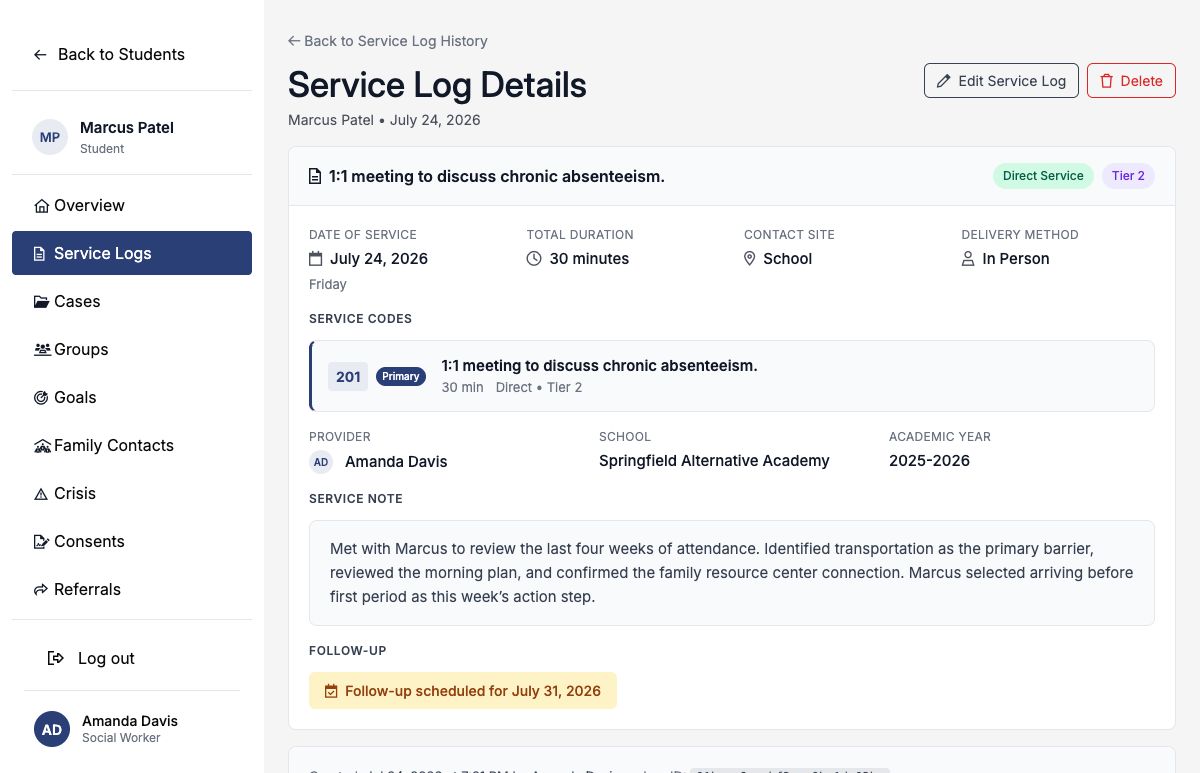
You may edit or delete only logs you created. Edit when correcting or completing the record. Delete only when the entry itself was made in error; deletion also removes its attachments and cancels its generated follow-up task.
Attachments
You may attach up to four supporting files, with a maximum size of 25 MB each. Supported formats include PDF; common image formats; Word and Excel files; and CSV. Follow district policy before uploading material that contains sensitive student information.
Completed example: reduce student absences
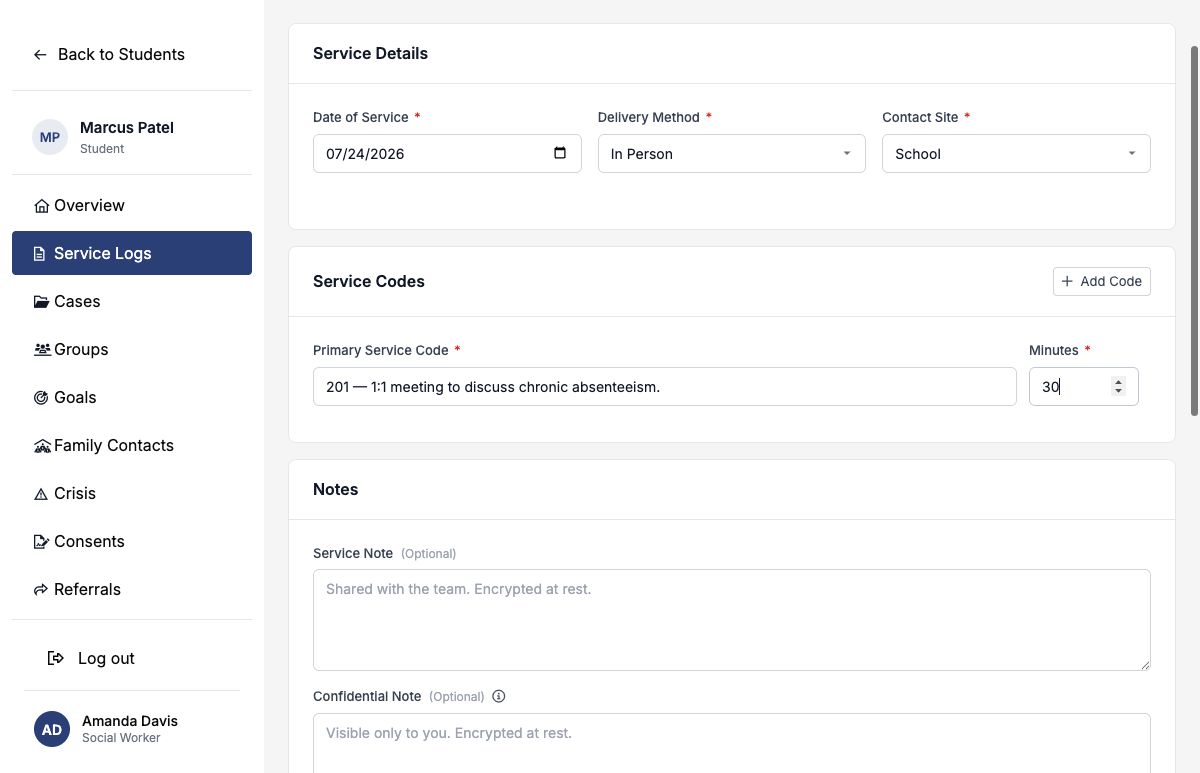
| Field | Example entry |
|---|---|
| Date of Service | July 24, 2026 |
| Delivery Method | In Person |
| Contact Site | School |
| Primary Service Code | 201 — 1:1 meeting to discuss chronic absenteeism |
| Minutes | 30 |
| Related Goal | Reduce unexcused absences to 2 or fewer per month |
| Needs Follow-up | Yes — July 31, 2026 |
This log documents the intervention that occurred. The related goal continues to hold the measurable attendance outcome, and the generated task carries the next action into the provider’s workload.