Working With Groups
How to create a defined student group, manage facilitators and membership, document each session, track attendance, and preserve useful student and program history.
What a group accomplishes
A group organizes a named, defined roster of students receiving a shared series of services. It keeps the group’s purpose, schedule, facilitators, membership history, coded sessions, attendance, notes, and resources together.
| Groups do | Groups do not |
|---|---|
| Maintain a student roster with join and exit history. | Replace individual goals, cases, referrals, or consent records. |
| Record each group session, its codes, minutes, and attendance. | Automatically create an individual service log for every member. |
| Show group participation from each student’s profile. | Fit a school-wide effort that has no defined student roster. |
| Feed group attendance, membership, type, and intervention reporting. | Generate future sessions from the recurring schedule automatically. |
If you need to know exactly which students belong, who attended each meeting, and how participation changes over time, use Groups. A broader school or community initiative without an individual roster is better suited to Macro-Level Efforts.
When to create a group
Create a group for a planned series such as an attendance-improvement cohort, social-skills group, grief group, coping-skills group, academic motivation series, or college-readiness workshop. Use a one-time individual service log when there is no continuing group structure.
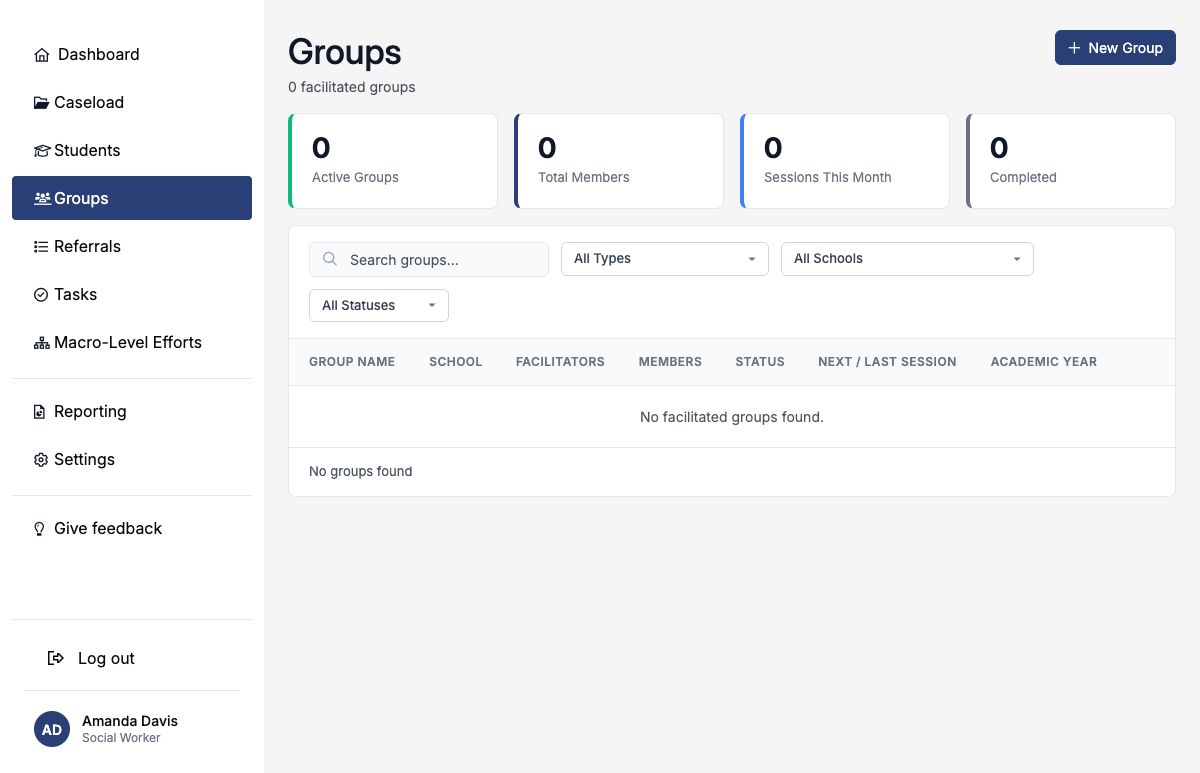
Create the group
- Open Groups and select New Group.
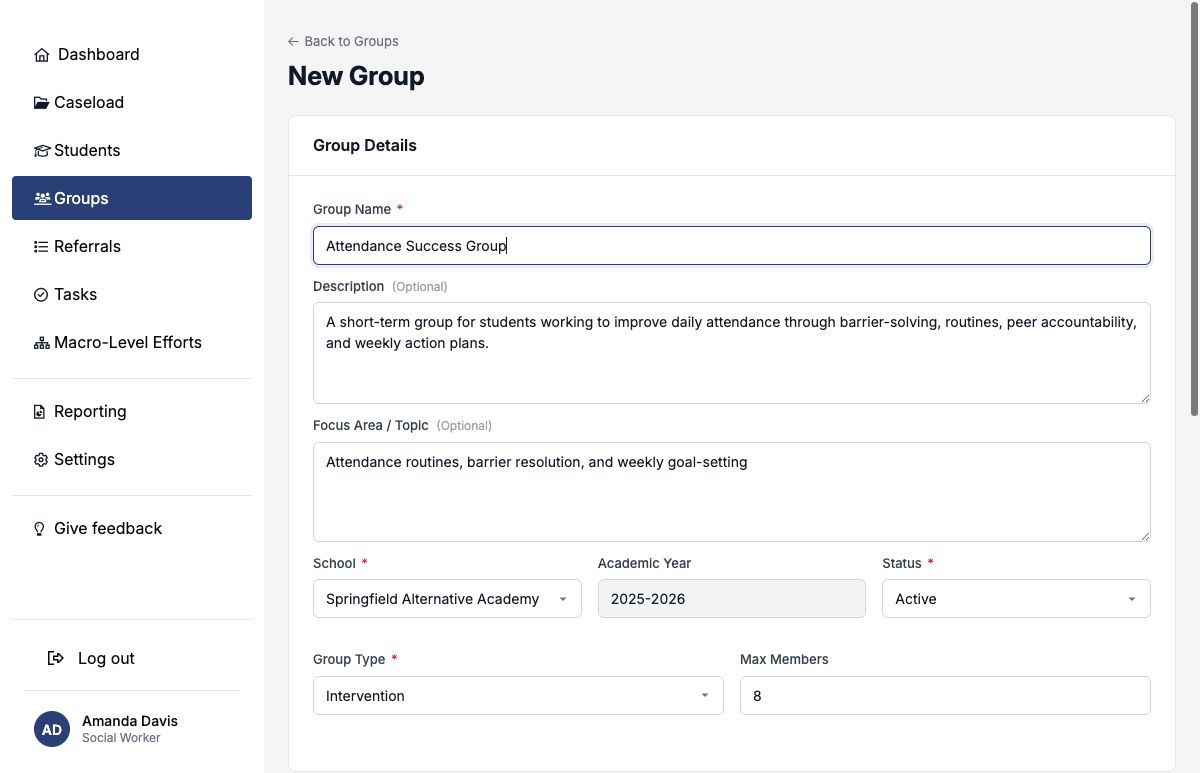
- Give the group a clear, durable name.
- Describe the intended population, purpose, and approach.
- Choose the school, status, and group type.
- Optionally set a member capacity, date range, recurrence, day, time, and planned duration.
- Confirm the facilitator assignments and save.
| Group type | Typical use |
|---|---|
| Therapeutic/Support | A facilitated support or therapeutic process. |
| Psychoeducational | Structured learning about a social, emotional, or behavioral topic. |
| Support | Peer connection and facilitated support around a shared experience. |
| Skills Training | Repeated practice of specific academic, behavioral, or life skills. |
| Intervention | A targeted response to an identified student need. |
| College/Career Readiness | Postsecondary planning, applications, financial aid, or career preparation. |
Use status to describe the group’s lifecycle
| Status | Use it when |
|---|---|
| Planning | The structure and roster are still being prepared. |
| Active | The group is currently operating. |
| On Hold | Sessions are temporarily paused but the group remains open. |
| Completed | The planned series ended normally. |
| Canceled | The group will not proceed or ended without completion. |
Weekly, biweekly, monthly, and as-needed settings communicate the plan. Facilitators still create a session record for each meeting that is held or canceled.
Set facilitators and access
At least one facilitator is required, and the person creating the group must include themselves. Additional district team members may be assigned as Lead Facilitator, Facilitator, Co-Facilitator, Participant, Observer, Presenter, or Intern, with an optional allocation percentage and participation dates.
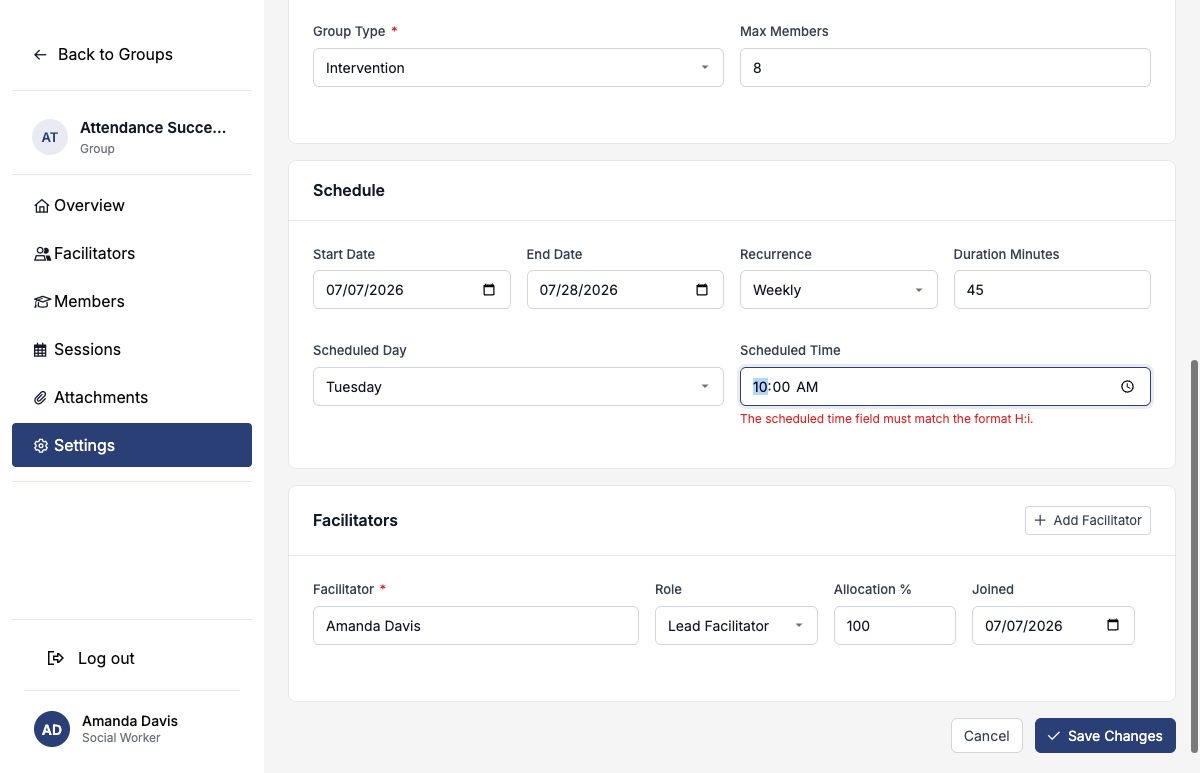
The main Groups workspace and group-management pages are scoped to active facilitators within their district and school access. Keep facilitator dates current so the right people retain management access.
Build and maintain the roster
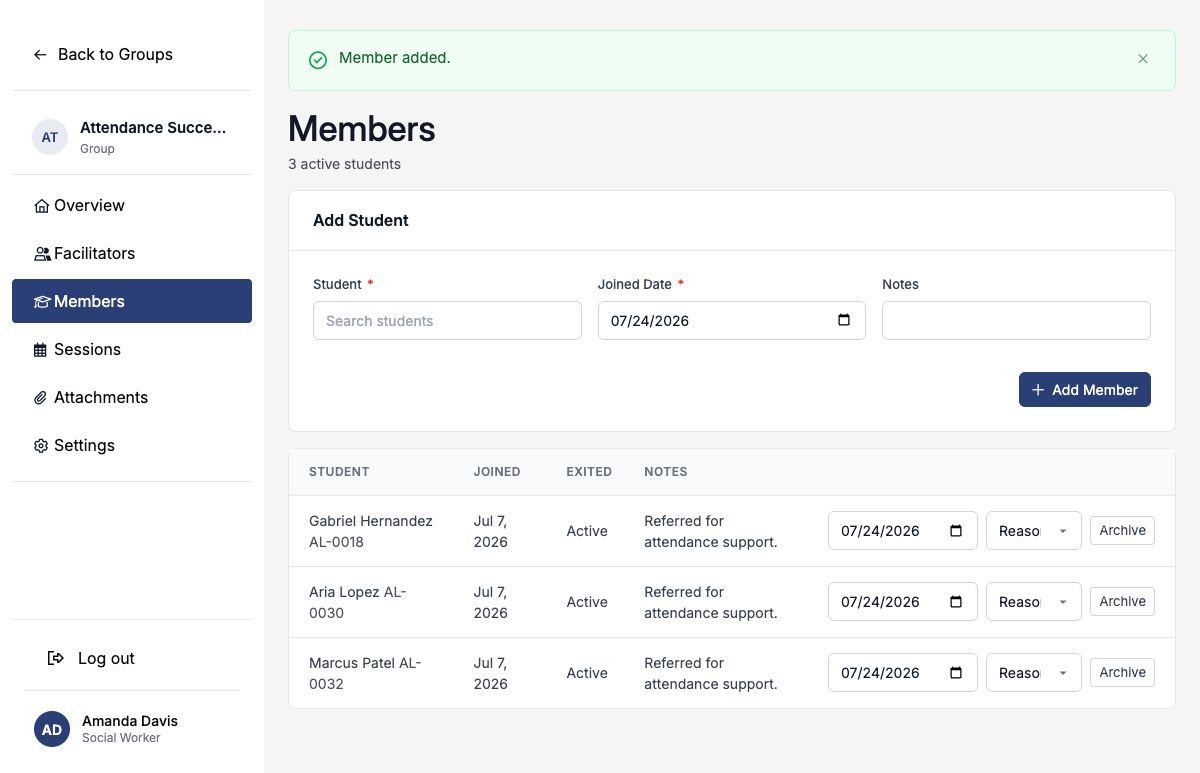
Open Members, search for a student, enter the joined date, and add an optional membership note. A group may include students from the group’s school; SocialNote prevents the same student from having two active memberships in that group.
Use it to communicate intended capacity and manage the roster accordingly. It does not replace your review of whether the group remains appropriately sized.
Log each group session
Select New Session after a meeting occurs—or to record that a scheduled meeting was canceled. Enter the date, session type, topic, delivery method, contact site, planned minutes, and actual minutes.
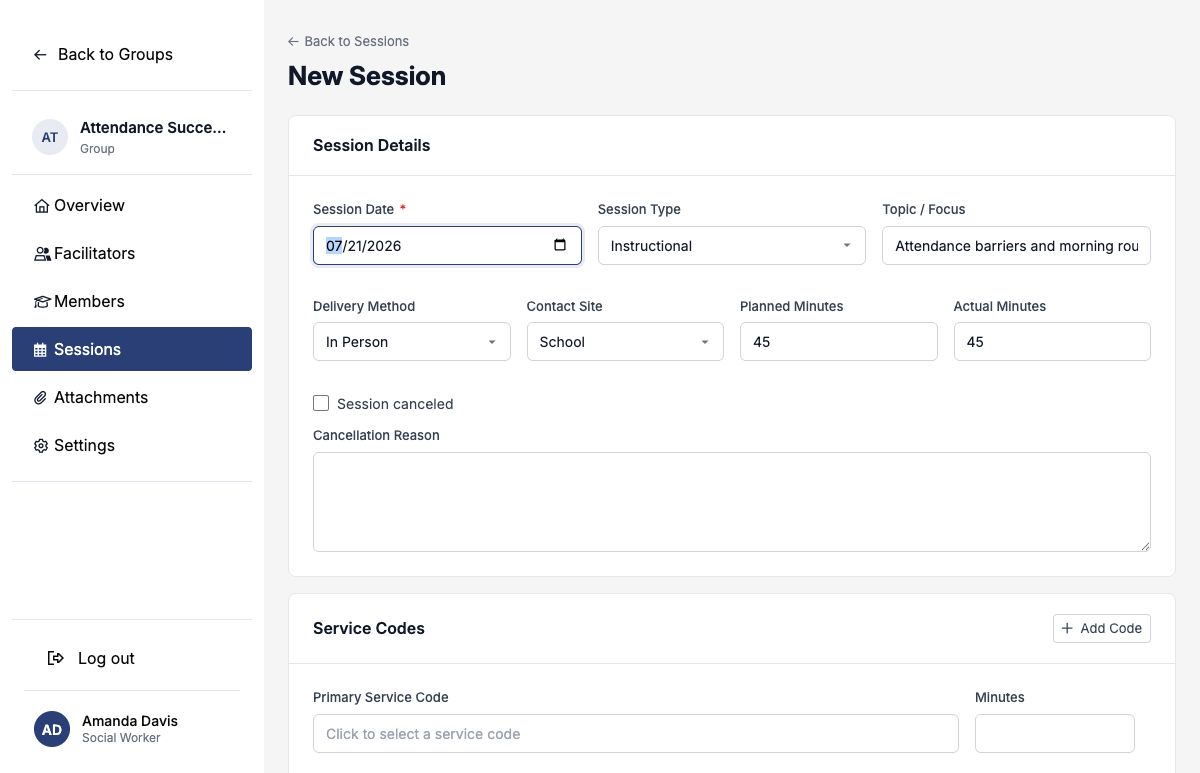
Every non-canceled session requires at least one service code. Choose the primary code for the main activity, add another only for a distinct additional service, and record actual minutes for each code.
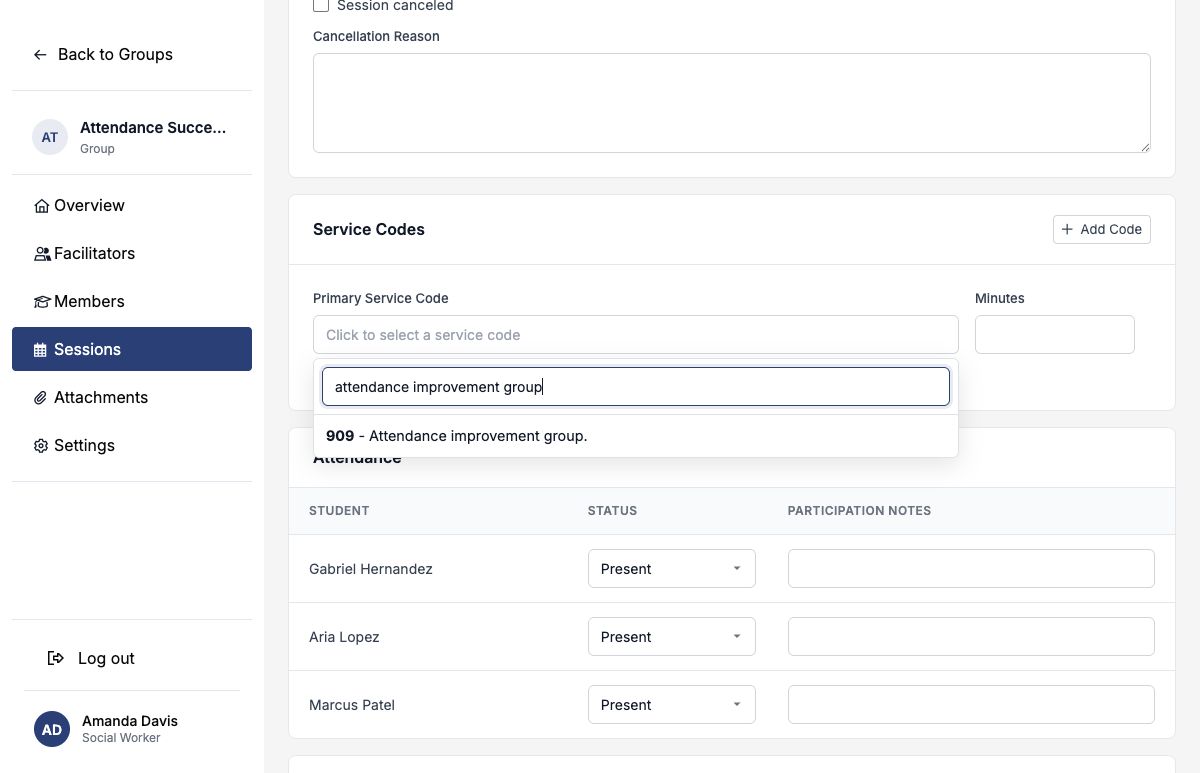
See the Service Code Reference for the full default taxonomy. Keep code minutes consistent with the work performed; SocialNote does not require their sum to equal the session’s actual duration.
Canceled sessions
Turn on Session canceled and provide a reason. A canceled session does not keep attendance or service-code rows. Recording it preserves the scheduling history without counting it as a held session.
Record attendance and participation
Current active members appear automatically in the new-session attendance table. Choose Present, Absent, Excused, Late, or Left Early for each student and add a concise participation note when it helps explain engagement or next steps.
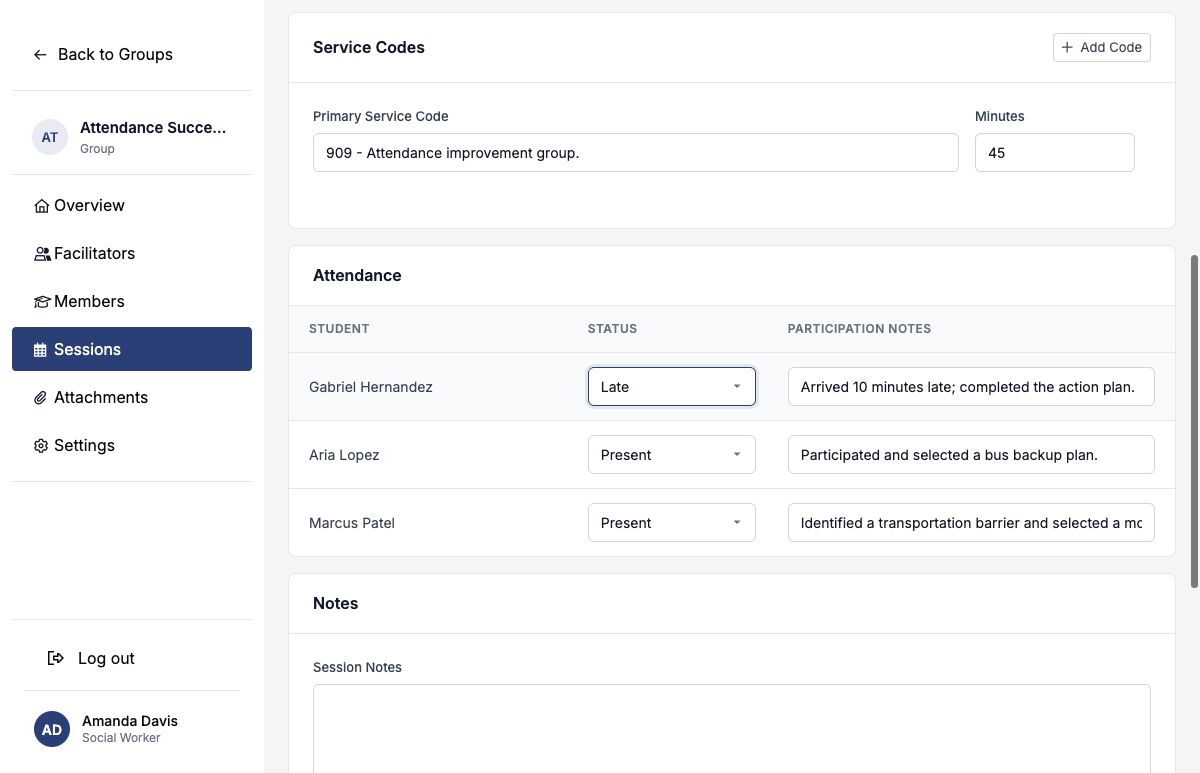
Historical attendees remain on an existing session even if they later exit the group. Facilitators may also update attendance from the saved session page without reopening the entire session record.
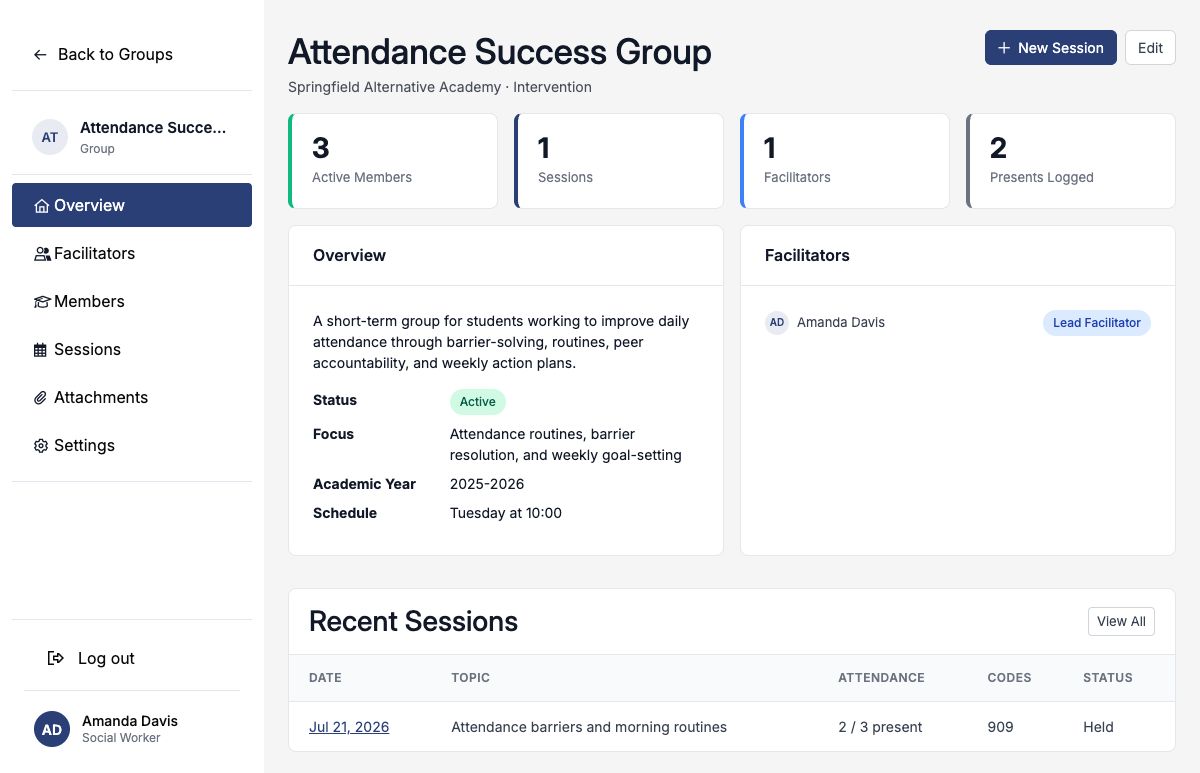
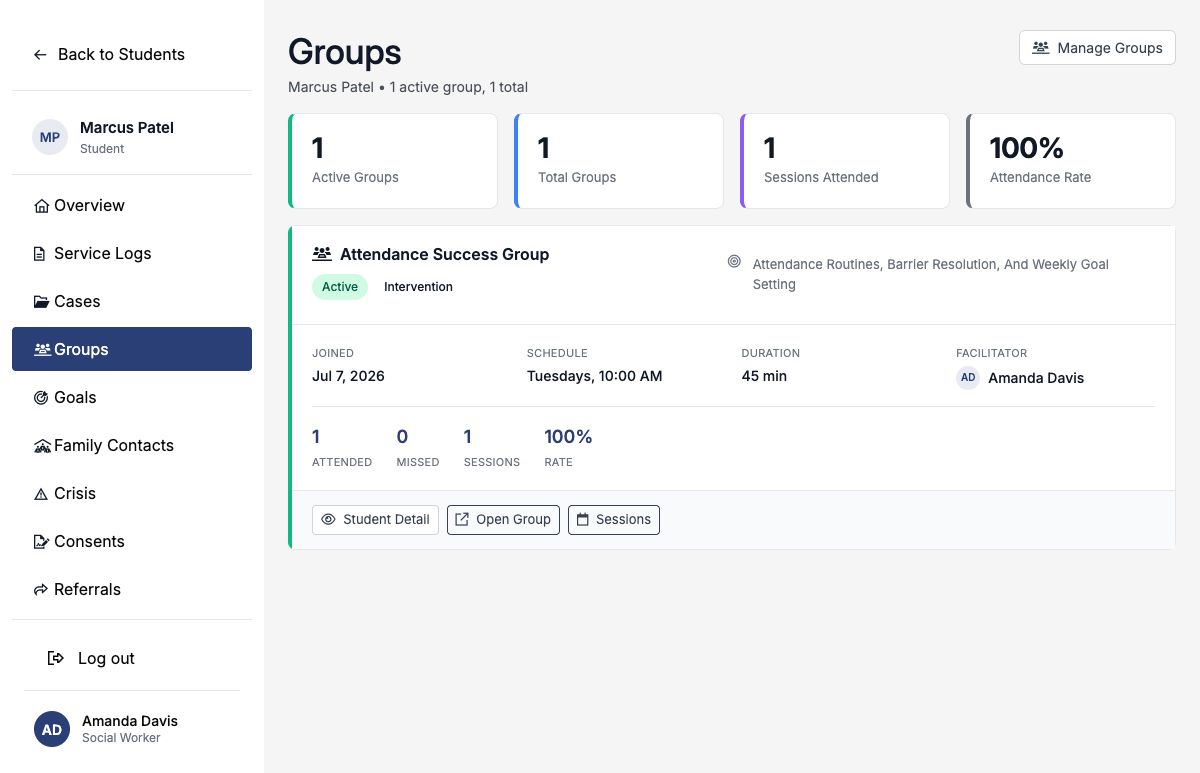
The group overview’s Presents Logged and session row count only the Present status. On a student’s Groups page, Present and Late both count as attended when calculating the attendance rate.
Write useful session notes
| Field | Purpose and audience |
|---|---|
| Session Notes | The shared record of what the group covered, interventions used, and group-level response. |
| Restricted Note | A creator-only note for limited-access professional detail. Another facilitator editing the session cannot see or replace it. |
| Facilitator Notes | Shared facilitator planning, observations, or preparation for the next meeting. |
| Participation Notes | A brief student-specific observation tied to that session’s attendance row. |
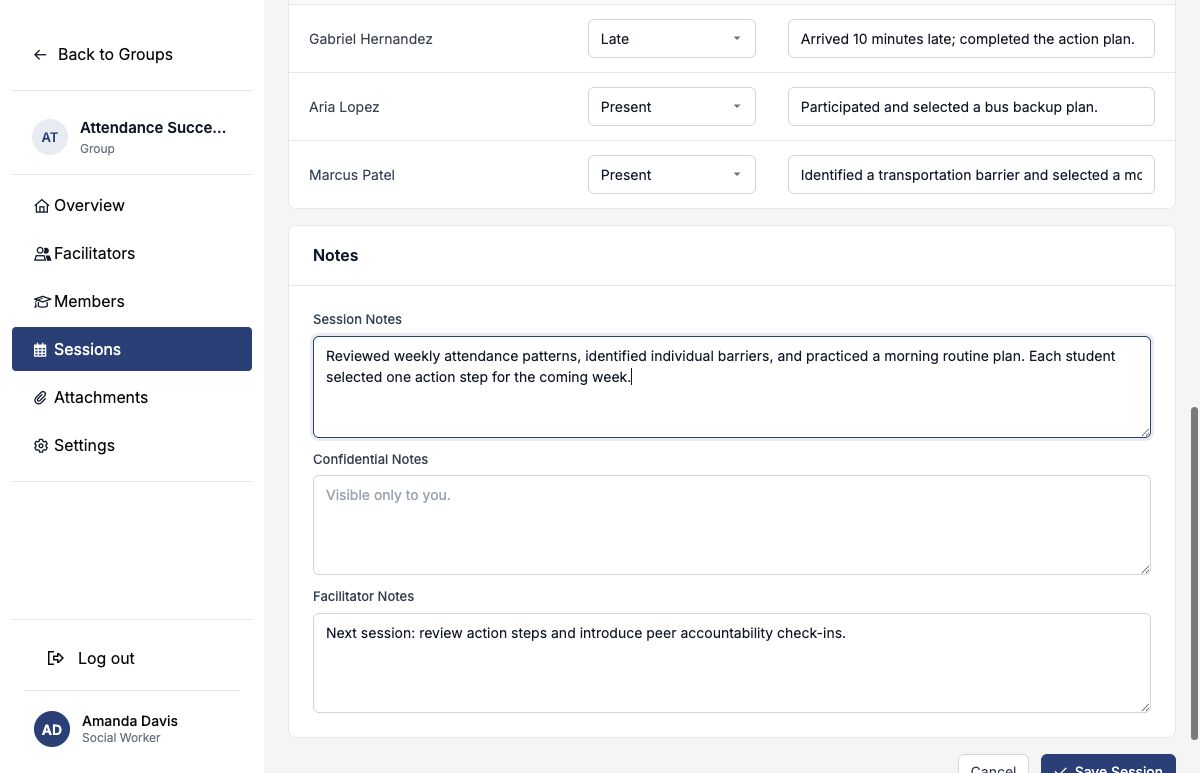
A useful session note is concise enough to scan but specific enough to explain what the facilitator did and how the group responded. Avoid unnecessary sensitive detail and leave the restricted field empty unless it is genuinely needed.
Monitor the group and student history
The group overview summarizes active members, sessions, facilitators, present attendance entries, purpose, schedule, and recent sessions. The Groups list adds your facilitated-group totals, monthly sessions, search, and filters for type, school, and status.
Each member’s student profile also includes a Groups page with active and historical memberships, sessions attended, attendance rate, schedule, duration, and facilitator.
Attachments
Use the group’s Attachments area for shared curricula, handouts, plans, or other authorized resources. You may upload up to four files at once, with a maximum size of 25 MB each. Supported formats include PDF, common images, Word, Excel, and CSV. Follow district policy before uploading student information.
Complete memberships and the group responsibly
When a student leaves, archive the membership with a left date and, when useful, an exit reason: Completed, Withdrawn, Transferred, Attendance, or Other. This removes the student from the active roster while preserving membership and attendance history.
When the planned series ends, edit the group status to Completed. Use On Hold for a temporary pause and Canceled when the group did not proceed or ended without completion.
- Keep facilitator and membership dates accurate.
- Create one session record for every held or canceled meeting.
- Use a service code that describes the actual group activity.
- Record actual duration and individual attendance promptly.
- Keep shared, facilitator, restricted, and participation notes in their intended lanes.
- Archive memberships instead of erasing their history.
- Change the group status when the program pauses or ends.
Completed example: Attendance Success Group
| Field | Example entry |
|---|---|
| Purpose | A four-week intervention focused on attendance barriers, routines, peer accountability, and weekly action plans. |
| Schedule | Tuesdays at 10:00 AM, July 7–28, 2026; 45 minutes. |
| Facilitator | Amanda Davis — Lead Facilitator. |
| Roster | Gabriel Hernandez, Aria Lopez, and Marcus Patel. |
| Session Topic | Attendance barriers and morning routines. |
| Primary Code | 909 — Attendance improvement group; 45 minutes. |
| Attendance | Two Present; one Late. |
| Next Step | Review action steps and introduce peer-accountability check-ins. |
The group record holds the shared program structure. Each session documents the service that occurred, while attendance connects that session back to each participating student.