Cases
How to use a Case as an episode-of-care workspace—from services-only coordination through optional formal Treatment Planning.
Cases overview
A Case represents an episode of care: a defined period when staff are organizing and recording support for a student. It provides one workspace for ownership, services, referrals, Goals, planning, reviews, and closure history.
A Case may be as simple as a place to organize services. Add Case Goals when measurable outcomes would help. Use the formal Treatment Planning workflow only when the episode of care calls for structured plan context, an establishment date, and recorded reviews.
| Part of the record | Required? | What it does |
|---|---|---|
| Case | Main record | Organizes the episode of care and preserves its history. |
| Services | As work occurs | Records the support provided during the Case. |
| Case Goals | Optional | Tracks measurable outcomes associated with the Case. |
| Treatment Plan | Optional | Adds formal plan context, establishment, and review history inside the Case. |
Goals and a formal Treatment Plan are optional. Their absence does not mean the Case is incomplete or in error.
Find and open Cases
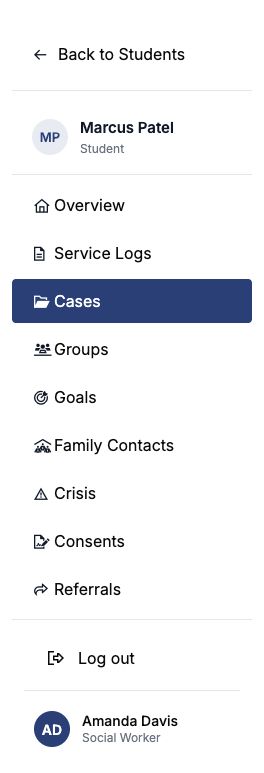
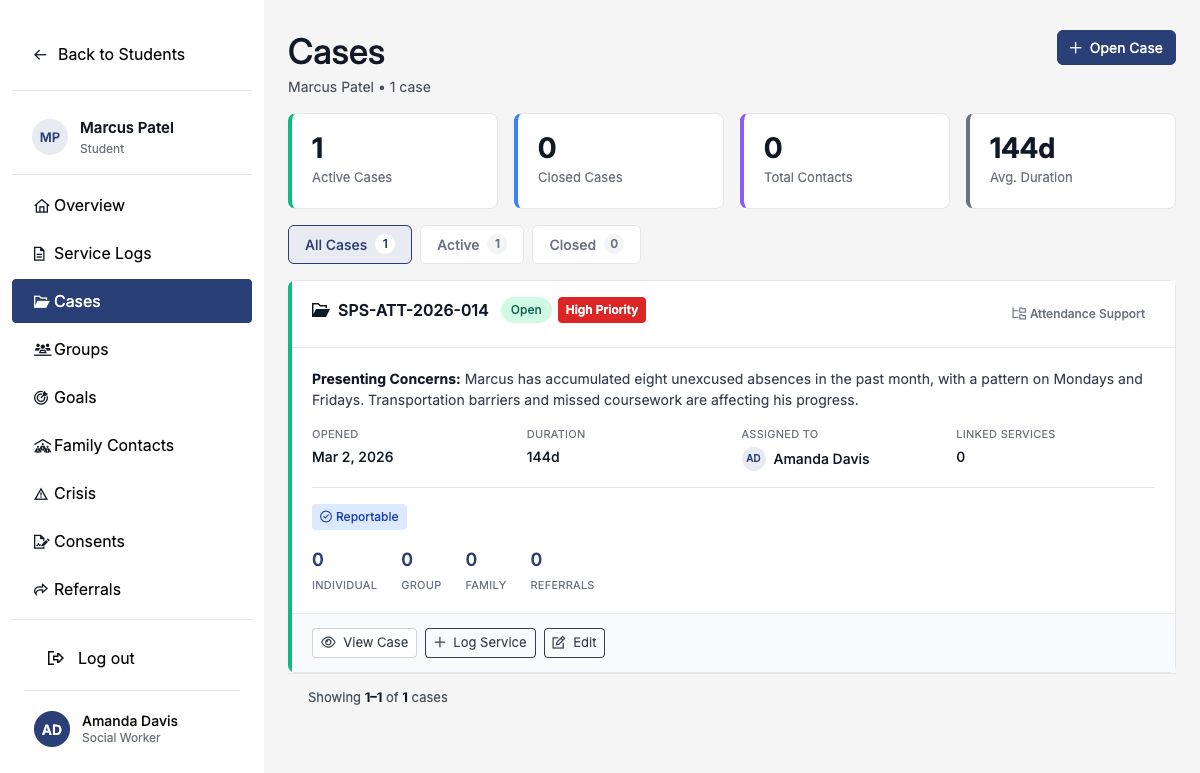
Cases live under a student. Open the student and choose Cases in the student navigation. Review existing Cases before opening another one so the same episode of care is not split across duplicate records.
When opening a Case, select its category, assigned practitioner, status, priority, opened date, and any relevant referral or student indicators. Document the presenting concern at the Case level. You can immediately begin logging services and add Goals or formal planning later if needed.
Closing a Case ends the active episode of care; it does not erase the Case, services, Goals, reviews, or plan history. Reopening resumes work in the same Case.
The five Treatment Planning states
The Treatment Plan card shows the Case’s visible planning state and the next action available to the practitioner. These states describe the optional planning workflow inside the Case; they are not separate Case statuses.
| Visible state | What it means | Next available action |
|---|---|---|
| Services-only Case | The Case is organizing services without Case Goals or formal plan context. This is valid. | Continue logging services, add a Goal, or edit the Treatment Plan. |
| Case Goals | One or more Goals belong to the Case, but a formal plan has not been established. This is also valid. | Continue Goal work or add plan context. |
| Draft Treatment Plan | Plan context has been saved, but the Treatment Plan has not been formally established. | Complete required plan details and establish it when appropriate. |
| Established Treatment Plan | The current plan has an establishment date and may be reviewed while the Case remains active. | Continue work, edit current details, print, or complete a Plan Review. |
| Plan needs review | An established Case was reopened and requires formal follow-up. | Complete a supported review or re-establishment workflow. |
Building a Treatment Plan
Use formal Treatment Planning when the Case needs documented plan context, participating providers, a planned service cadence, a planned duration, Case Goals, and formal establishment and review activity.
- Open the student and choose Cases.
- Open the relevant Case.
- Choose Edit Treatment Plan.
- Enter the plan context, participating providers, planned frequency, and planned end date.
- Create a new Case Goal or associate an existing Goal with this Case.
- Save the planning details. They remain a Draft Treatment Plan.
- Return to the Case and choose Establish Treatment Plan when the required information is ready.
- Use Print Treatment Plan when a current printable view is needed.
Planning fields
| Field | How to use it |
|---|---|
| Presenting Concerns | Summarize the concern, pattern, impact, and relevant context. |
| Strengths | Document student, family, school, or community strengths that can support the work. |
| Stressors | Record current barriers or circumstances that affect the plan. |
| Diagnosis or Symptoms | Document only what is appropriate and supported for the Case; a diagnosis is not required. |
| Plan Summary / Interventions and Modalities | Describe the current approach, interventions, responsible participants, and intended follow-through. |
| Planned Service Frequency | Choose exactly one: Weekly, Biweekly, Monthly, or As Needed. |
| Planned End Date | Define the intended duration by recording when this plan is expected to end or be reconsidered. |
| Case Participants | Identify the providers or staff participating in the Case and their role. |
Before establishment, enter Presenting Concerns, the Plan Summary, a Planned Service Frequency, a Planned End Date, and at least one active Case Goal. Establishment records the current plan; it does not lock or create an immutable version of the Goals.
Goals and progress
Goals may belong to a Case or remain standalone on the student record. A Case Goal can be created before formal planning begins, while a Treatment Plan is a draft, or after establishment. SocialNote reuses the existing Goal creation and progress-entry workflows.
| Action | Effect |
|---|---|
| Create or select a Case Goal | Associates the measurable outcome with this episode of care. |
| Log Goal progress | Adds a dated progress entry and updates the Goal’s current outcome information. |
| Edit an established plan | Updates the current planning details; it does not freeze or version the Goals. |
| Establish or re-establish | Records establishment of the current plan; Goal work can continue afterward. |
A Case with Goals but no formal Treatment Plan is a supported working state—not a partially completed plan that must be established.
Reviews and amendments
A Case Review is a distinct historical event. It documents the practitioner’s evaluation of the current plan and may either confirm that the plan remains appropriate or lead to changes. Applicable changes can then be reflected in the current plan and, when appropriate, re-established.
| Word | What happened | What did not necessarily happen |
|---|---|---|
| Reviewed | A Case Review was recorded as a distinct historical event. | The plan was not necessarily changed or re-established. |
| Edited | The current plan details were changed. | An edit alone is not a recorded review and does not prove review compliance. |
| Re-established | The current plan was established again following applicable review or change. | Goals were not frozen into an immutable version. |
Review types available in SocialNote are Scheduled review, Ad hoc review, Re-establishment, and Discharge review. A review can record continued appropriateness, revision, preparation for discharge, or discharge.
For a reopened established Case, complete a Scheduled review, Ad hoc review, or Re-establishment review to clear Plan needs review. The warning cannot be cleared by dismissing it or merely editing the Case.
Closing and reopening Cases
Close a Case when active coordination ends. SocialNote records the closure date, reason, outcome, summary, and whether a referral is needed next year.
| Closure information | Available choices or guidance |
|---|---|
| Closure Reason | Discharged as Planned · Referred to Other Services · Student Declined · Family Declined · Insufficient Progress · Withdrew from District · Summer Break · Other |
| Closure Outcome | Marked Improvement · Moderate Improvement · No Change |
| Closure Summary | Describe the result, remaining needs, handoff, and next monitoring step. |
| Active or Paused Goals | For an established Treatment Plan, choose a disposition for each Goal: close as met, close as not met, continue as a standalone student Goal, or move it to another open Case. |
Reopening restores the Case to active work without erasing its prior services, Goals, reviews, closure, or plan history. If the closed Case had an established Treatment Plan, reopening creates Plan needs review so the practitioner formally considers whether the current plan is still appropriate.
Printing the current Treatment Plan
The printable Treatment Plan represents the current plan at the generated timestamp. It includes the current Case status, Goals, providers and participants, planned frequency, planned duration, plan context, review information, and—when applicable—closure information.
The printable view is not an electronic signature, approval, attestation, locked record, or immutable version. Handle printed or saved copies according to your organization’s student-record procedures.
Timeline and reporting
The Case timeline summarizes relevant Treatment Plan, Goal, progress, review, closure, and reopening activity so authorized users can understand how the episode of care changed over time.
Treatment Planning reports combine documented reviews with current Case data. Review compliance is based on actual Case Review records—not merely editing, establishing, or re-establishing plan details unless the supported workflow also records the applicable review.
A rate or percentage based on only a few Cases can change sharply after one record. Review the underlying Case count and local context before drawing conclusions.
Legacy records
Imported legacy submissions may appear as converted plans, retained historical snapshots, or items requiring administrative review. Practitioners should not recreate, edit solely to “clean up,” or otherwise fix legacy records unless a district administrator directs them to do so.
Worked example: decreasing student absences
Jordan’s Attendance Support Case begins as a services-only Case. The practitioner can log check-ins and family coordination immediately. When the team decides measurable follow-through and a formal plan would help, it adds the following optional planning information.
- Case
- GUIDE-TP-004 · Attendance Support · In Progress
- Presenting Concerns
- Jordan has had eight unexcused absences in the past month and reports difficulty arriving on time after changes to the morning routine.
- Strengths
- Jordan responds to predictable routines, communicates openly with the assigned social worker, and is motivated by athletics eligibility.
- Stressors
- Recent transportation instability and caregiver schedule changes.
- Plan Summary / Interventions and Modalities
- Meet weekly for attendance-focused problem solving, coordinate transportation supports with the family, and review monthly attendance data with Jordan.
- Planned Service Frequency
- Weekly
- Planned End Date
- November 30, 2026
- Primary Participant
- Amanda Davis
- Case Goal
- Reduce unexcused absences
- Baseline and Target
- Decrease from 8 to 2 or fewer unexcused absences per month for two consecutive months.
- Progress Evidence
- Monthly attendance record review; most recent value: 3 unexcused absences.
The plan can be saved as a draft and established when required details and an active Case Goal are ready. Later progress entries update the current Goal outcome. A scheduled Case Review can document that attendance is improving and the current plan remains appropriate without requiring a plan change.
Treatment Planning vocabulary
| Term | Meaning |
|---|---|
| Case | The episode-of-care workspace. |
| Case Goal | A Goal associated with a Case. |
| Draft Treatment Plan | Planning details saved but not formally established. |
| Established Treatment Plan | The currently established plan. |
| Case Review | A recorded review of the plan. |
| Re-establishment | Establishing the current plan again following review or change. |
| Plan needs review | Required follow-up after reopening an established Case. |
Who can do what
| Action | Who |
|---|---|
| View cases | Staff in the student's district who have access to the student's school. |
| Open a case | Same as above. |
| Edit, plan, review, close, or reopen a case | The case creator, the assigned staff member, or an administrator, subject to district access. |
| Work with Case Goals | Staff with access to the student and permission to create or update the Goal. |
| Print the current Treatment Plan | Authorized users who can view the Case. |
| Delete a case | The case creator or an administrator. |
If Edit Case is not available, the case may belong to another staff member. Ask the assigned staff member or an administrator to make the change or reassign the case.
Keep Case, Goal, plan, review, and closure language factual, relevant, professional, and appropriate for a record that may be reviewed later.